Beginner friendly · Self-paced
Build your own WordPress website with AI, even if you have never coded.
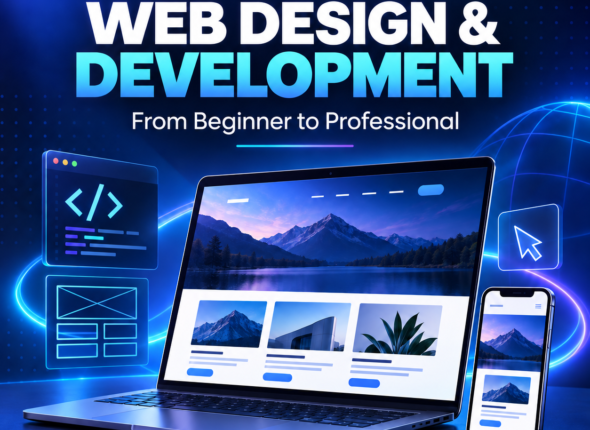
Ultimate AI WordPress Web Development For Beginners is a step-by-step course. Set up hosting, ask Claude to draft your Elementor design, edit it, and launch a live website.
- No coding needed
- Learn at your own pace
- Build a real website
Ultimate AI WordPress Web Development For Beginners
- 1 Lessons
- 11 Students
Ultimate AI WordPress Web Development For Beginners
- 1 Lessons
- 11 Students
What you will learn
From zero to a live website
Six skills, taught step by step, that take you from an empty hosting account to a finished site.
Hosting and domains
Pick a domain, set up hosting and get WordPress running on your own site.
WordPress and Elementor
Learn how pages, templates and the Elementor editor work, without touching code.
Prompting Claude for layouts
Write clear prompts that get Claude to return a ready-to-import Elementor template.
Import, edit and fix
Upload the template, change text, images and colours, and fix anything that breaks.
A basic online store
Add products, checkout and Nigerian payments with WooCommerce.
Launch and hand over
Run a pre-launch checklist, go live, and learn how to price and deliver a project.
Course content
Go from zero to a live website.
A practical, beginner-friendly path that takes you from setting up WordPress to building with AI, launching an online store and delivering real client projects.
Finish with a responsive WordPress website you can launch, show in your portfolio or sell to a client.
Set up your site
Choose a domain and understand hosting
Set up hosting and your subdomain
Install WordPress
Install Elementor and basic settings
Tour containers, widgets, colours and fonts
Understand Elementor template files
Prompt, import and edit with Claude
Plan your page before prompting
Get Elementor JSON from Claude
Import the template into Elementor
Edit text, images, colours and buttons
Fix errors and missing widgets
Run mobile and tablet checks
Prompt for additional pages
Add a shop and launch
Install WooCommerce and configure the store
Add products, categories and variations
Connect Paystack or Flutterwave
Configure shipping for Nigeria
Test an order from start to finish
Complete a pre-launch checklist
Go live and hand over
Price and deliver a client project
Price a small-business website
Define scope and create a simple proposal
Use a handover checklist and offer maintenance
Learn by building: every module moves the same website closer to launch.

Your instructor
Taught by Demi
Founder, Aces Digital
I run Aces Digital, a web development agency in Nigeria, and I build and host websites for real clients. I made this course to show you the process step by step, from setting up hosting to launching a live site.
- 5+ years building WordPress websites
- 700+ learners supported
- Real client projects across multiple industries
If you get stuck along the way, message us on WhatsApp and we will help you.
Real work
Sites built at Aces Digital
A few of the websites I have designed and shipped for real clients.
Web design
Lead generation
SolarWorld Nigeria
A modern renewable-energy website structured to explain services clearly, showcase installations and turn visitors into qualified leads.
E-commerce
Woocommerce
Fresh Fusion
An engaging online store designed to make discovering and ordering fresh, healthy food simple.
Booking
Business website
Connoisseurs Hub
A polished coworking and events website that presents facilities, pricing and booking options with clarity.
Hosting
WHMCS
Aces Host
A conversion-focused hosting platform that simplifies domain registration and hosting-plan selection.
Web design
Lead generation
SolarWorld Nigeria
A modern renewable-energy website structured to explain services clearly, showcase installations and turn visitors into qualified leads.
E-commerce
Woocommerce
Fresh Fusion
An engaging online store designed to make discovering and ordering fresh, healthy food simple.
Booking
Business website
Connoisseurs Hub
A polished coworking and events website that presents facilities, pricing and booking options with clarity.
Hosting
WHMCS
Aces Host
A conversion-focused hosting platform that simplifies domain registration and hosting-plan selection.
Web design
Lead generation
SolarWorld Nigeria
A modern renewable-energy website structured to explain services clearly, showcase installations and turn visitors into qualified leads.
E-commerce
Woocommerce
Fresh Fusion
An engaging online store designed to make discovering and ordering fresh, healthy food simple.
Booking
Business website
Connoisseurs Hub
A polished coworking and events website that presents facilities, pricing and booking options with clarity.
Hosting
WHMCS
Aces Host
A conversion-focused hosting platform that simplifies domain registration and hosting-plan selection.
Questions
Frequently asked questions
No. The course starts from the basics and explains every step, so you can begin even if you have never built a website before.
No. Elementor is a visual builder and Claude writes the template file for you. You will learn to review and fix the results, but you do not write code.
A laptop or computer, a steady internet connection and a Claude account. The first lessons show you how to set up hosting and WordPress.
Click Enroll now and follow the steps on the course page. Once you are enrolled, log in to your student dashboard and learn at your own pace.
It teaches you to build and deliver websites, and includes a lesson on pricing a project. It does not cover how to find clients.
Message us on WhatsApp at +234 810 269 8990 or email academy@acesdigital.tech and we will help you.
Ready to build your first website?
Enroll today. If you have questions first, message us and we will help you decide.
More courses are on the way. Message us on WhatsApp to hear when they launch.